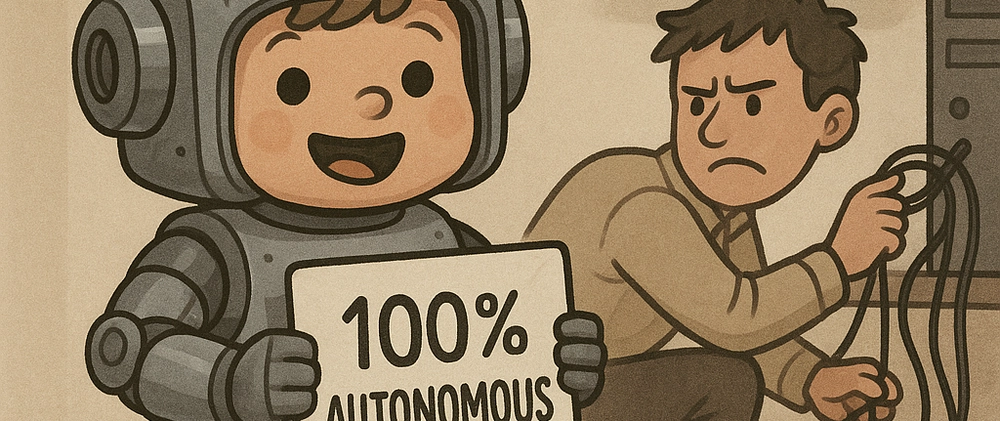
Ask any CTO which AI tools are running in their organisation and you get a list. Then ask five developers what they used this week, and you get a longer list. The gap between those two is what an AI audit is about.
At most companies, AI did not arrive through a decision. It arrived through people. Someone took out a Cursor subscription because it helped. Marketing started generating copy. Somebody built an agent that reads the shared mailbox and turns it into tickets. Each of those was a sensible call. Together they add up to an infrastructure nobody designed and nobody documented.
What you map first
An audit starts boring, with an inventory. Three questions, and the answers usually disappoint.
Which tools are running, and what data leaves through them? Not just the ones on the invoice. Also the free accounts, the browser extensions and the personal subscriptions people use for work. For each one you want to know what goes out and whether your contracts allow it.
Which code was written by AI, and what happened to it? In most repositories you cannot tell. There is no marker, no separate review trail, no distinction between code a senior worked through and code that went from a model straight into the main branch.
Which keys do your agents hold, and what do those keys allow? This is the question that most often produces silence. An agent that processes invoices has a token somewhere. It was created once, probably with wider permissions than it needed, and almost certainly without an expiry date.
Where it goes wrong in practice
The patterns we run into are strikingly consistent.
- Keys without a lifecycle. Human accounts have an onboarding and an offboarding process. Agents rarely do. No rotation, no expiry, and nobody noticing that a token from an abandoned experiment still works.
- Over-permissioned service accounts. During development you give an agent admin because otherwise you keep hitting permission errors. That almost never gets rolled back.
- Exposed MCP endpoints. More companies are standing up an MCP server for their own systems so AI clients can reach them. That is a writable API on your production environment. It deserves the same scrutiny as any other writable API, and often does not get it.
- Prompt injection through content. If your agent reads email, documents or web pages, it is reading text somebody else wrote. Put an instruction in there, and an agent without a clear separation between data and commands may simply carry it out.
- No view of dependencies. Without a current list of what is inside your software you do not know what you are pulling in. That was already a problem. With models that regularly reference packages which do not exist, it has not got smaller.
Three layers, in order of urgency
The Cloud Security Alliance uses a split that works well in practice, because it separates what you do this week from what is a programme.
Immediate. Inventory every AI tool in use. Scan your repositories for keys and passwords left behind. Check your dependencies against a current list. This is days of work, not months, and it almost always turns something up.
Short term. Move security testing to the moment code is created, rather than waiting for the pipeline. Write down where AI assistance is not used without review: authentication, authorisation, cryptography and input validation are the obvious four. Assess the platforms your team uses against your own vendor requirements.
Structural. Give agents the same lifecycle as employees, including rotation and revocation. Record in your dependency list which parts were AI-generated. And put governance in writing before somebody else does it for you, because the European AI Act is phasing in, and for nearly every obligation the first practical step is the same: knowing what you have.
What you can check yourself today
You do not need us to run the first three checks. They cost an afternoon and usually tell you enough to know how bad it is.
Scan your repositories for leftover keys. Tools like gitleaks or trufflehog walk your entire git history, not just the current files. That distinction matters: a key removed last year is still sitting in the history, and a repository that was ever public has been public forever.
List your tokens and look at when they were created. GitHub, your cloud provider and your main SaaS vendors will all tell you. Anything older than a year without a clear owner is suspect. Anything without an expiry date is a debt.
Check what your service accounts are actually allowed to do. Not what the documentation claims, but what the permissions say. The question to ask yourself is simple: if this account falls into the wrong hands tomorrow, how far does someone get?
If none of that turns anything up, you are in better shape than most. If it does, you now know where to start.
Why a report is not enough
The trouble with audits is that they are a snapshot. You get a document, you fix the worst of it, and three months later the situation has moved again. Not through negligence, but because this field simply moves faster than your audit cycle.
So we do not hand over a report and shake hands. We put AI-Sitters in place: senior developers who work alongside your team, review AI-generated code before it reaches the main branch, and keep an eye on the permissions your agents accumulate over time. The AI can go as fast as it likes. There is just someone sitting next to it who knows where this breaks.
Starting at the start
If you read the above and thought “no idea how that stands with us” at more than one point, that is your answer. It is not embarrassing. It is where nearly everyone is right now.
Book a 45-minute call and we will walk through the three inventory questions together. After that you will know whether a full audit is worth it, or whether an afternoon of tidying up will do. Email works too: contact@3bird.nl.